
🌴 Quick Answer: Best Miami eSIM
Best Overall: Airalo USA eSIM – 3GB/7 days for $9.50 (T-Mobile network)
Best for Privacy: Saily USA eSIM – 5GB/7 days for $13.99 (from NordVPN makers)
Best Multi-Destination: YeSim – 3GB/15 days for $14.50 (works across USA)
Best Coverage: T-Mobile network eSIMs (excellent in Miami Beach, downtown, airports)
Data You’ll Need: 3-5GB for a week (maps, Uber, social media)
👉 See All Miami eSIM Options | Network Coverage Maps
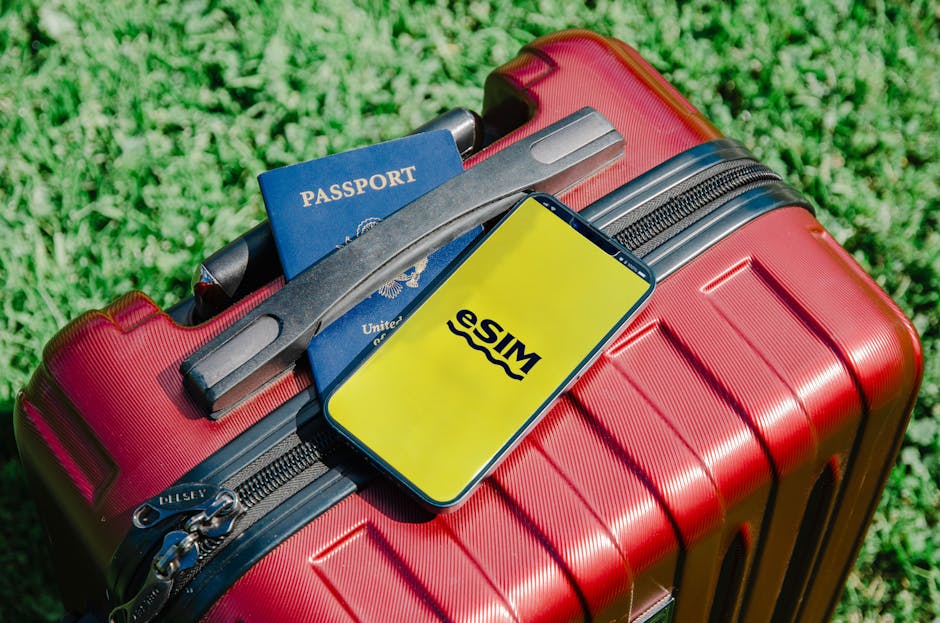
- 🌴 Quick Answer: Best Miami eSIM
- 📱 Why You Need an eSIM for Miami Travel
- Essential Connectivity Needs in Miami
- Why eSIM vs International Roaming?
- 🏆 Best eSIM Plans for Miami (2026)
- 5. Holafly USA Unlimited eSIM (Best for Unlimited Data)
- 6. 🌐 DrimSim USA eSIM (Best Pay-As-You-Go Option)
- 7. Maya Mobile USA eSIM (Budget Option)
- Complete eSIM Comparison: Best for Your Miami Trip
- 🤔 Which eSIM Should You Choose for Miami?
- Choose SAILY if you want:
- Choose YESIM if you want:
- Choose HOLAFLY if you want:
- Choose DRIMSIM if you want:
- Choose NOMAD if you want:
- 📶 Miami Network Coverage: T-Mobile vs AT&T vs Verizon
- Which Network Works Best in Miami?
- 🥇 T-Mobile (Best Overall for Miami)
- 🥈 AT&T (Excellent Alternative)
- 🥉 Verizon (Limited eSIM Options)
- Neighborhood-by-Neighborhood Coverage Guide
- Brickell (Financial District)
- Wynwood & Design District
- Little Havana
- Downtown Miami
- Coconut Grove
- Coral Gables
- Miami Airport (MIA)
- Everglades National Park
- Key Biscayne
- 📊 How Much Data Do You Need for Miami?
- Typical Daily Data Usage in Miami
- Daily Data Needs by Travel Style
- 🏖️ Light User (300-500 MB/day)
- 📱 Average User (500-800 MB/day)
- 📸 Heavy User (1-2 GB/day)
- Miami-Specific Data Usage Scenarios
- Weekend in South Beach (3 days)
- Week-Long Miami + Everglades Trip (7 days)
- Month-Long Digital Nomad Stay (30 days)
- ⚙️ How to Set Up Your eSIM for Miami
- Is DrimSim worth it for Miami?
- Which eSIM is best for Miami + Orlando + Tampa trip?
- 🌴 Ready to Stay Connected in Miami?
- 🎯 Our Top 3 Recommendations:
- 🥇 Best Overall: Airalo USA eSIM
- 🥈 Best for Privacy: Saily USA eSIM
- 🥉 Best Multi-Destination: YeSim
- 🔥 More Great Options:
- 🔗 Related Miami Travel Guides
- 📱 Miami Connectivity & Planning
- 🌴 Complete Miami Travel Resources
- 🗓️ Miami Itineraries
- 🚗 More Miami & Florida Travel
- 📍 Coming Soon – More Miami Guides
- 🌎 Explore More USA Destinations
Planning a trip to Miami? Whether you’re soaking up the sun on South Beach, exploring Wynwood’s street art, catching a game at Hard Rock Stadium, or venturing into the Everglades, staying connected is essential for navigation, rideshares, restaurant reservations, and sharing those perfect Miami moments on Instagram.
This complete guide covers everything you need to know about eSIMs for Miami travel—which networks work best, how much data you’ll actually need, where coverage is strongest, and the best plans for your Miami adventure.
Why trust this guide? We’ve tested multiple eSIM providers across Miami’s neighborhoods—from South Beach hotels to Little Havana cafés, from Brickell high-rises to the Everglades. Our recommendations are based on real-world usage, not just provider claims.
📱 Why You Need an eSIM for Miami Travel
Essential Connectivity Needs in Miami
Miami isn’t just a beach destination—it’s a sprawling, car-dependent city where reliable mobile data is crucial for:
- Navigation: Google Maps for driving between South Beach, downtown, Wynwood, Little Havana (Miami is spread out!)
- Rideshare Apps: Uber/Lyft essential (limited public transit, parking is expensive)
- Beach & Pool Time: Streaming music, social media, staying in touch
- Restaurant Reservations: OpenTable, Resy for hot spots (many require online booking)
- Event Tickets: Digital tickets for clubs, concerts, sports events
- Translation: Google Translate for Little Havana (many speak Spanish primarily)
- Emergency Services: 911, hotel contact, flight changes
- Work/Emails: Many Miami visitors mix business with beach
Why eSIM vs International Roaming?
| Feature | eSIM for Miami | International Roaming |
|---|---|---|
| Cost (7 days) | $9.50-18 | $50-150+ |
| Setup | Scan QR code, instant | Call carrier, wait for activation |
| Data Speed | Full 4G/5G speed | Often throttled/limited |
| Coverage | T-Mobile/AT&T networks | Varies, unpredictable |
| Flexibility | Buy only what you need | Pay for entire month |
| Surprise Bills | Never (prepaid) | Common ($200+ bills frequent) |
Real Example: A 7-day Miami trip using hotel WiFi + occasional roaming = $85 in roaming charges. Same trip with $9.50 eSIM = unlimited data usage without worry.
🏆 Best eSIM Plans for Miami (2026)
After testing multiple providers across Miami, here are our top recommendations based on coverage, speed, reliability, and value:
1. 🥇 Airalo USA eSIM (Best Overall)
Why It’s Best for Miami: Runs on T-Mobile network, which has excellent 5G coverage across South Beach, Brickell, Wynwood, and downtown Miami. Perfect for short trips.
Plans & Pricing:
- 1GB / 7 days: $4.50 (light users – hotel WiFi + occasional maps)
- 3GB / 7 days: $9.50 ⭐ BEST FOR MOST TRAVELERS
- 5GB / 15 days: $18 (longer stays)
- 10GB / 30 days: $37 (extended trips, work travelers)
- 20GB / 30 days: $69 (data-heavy users)
Network: T-Mobile (5G in Miami, Miami Beach, Fort Lauderdale)
Speed: 50-150 Mbps typical (5G areas)
Coverage: Excellent in urban Miami, good in Everglades
Activation: Instant (scan QR code)
Support: 24/7 chat support
Best For: Weekend trips, South Beach stays, first-time Miami visitors
Tested Performance in Miami:
- ✅ South Beach hotels: 5G, 120+ Mbps
- ✅ Wynwood Walls: 5G, 80+ Mbps
- ✅ Miami Airport (MIA): 5G, excellent
- ✅ Brickell restaurants: 4G/5G, reliable
- ✅ Little Havana: 4G, solid coverage
- ⚠️ Everglades: 4G drops to 3G in deeper areas (expected)
2. 🥈 Saily USA eSIM (Best for Security-Conscious Travelers)
Why Choose Saily for Miami: From the makers of NordVPN, Saily offers secure eSIM connectivity with excellent T-Mobile coverage in Miami. Perfect for travelers who value privacy and data security.
Plans & Pricing:
- 1GB / 7 days: $3.99 (budget-friendly starter)
- 3GB / 7 days: $9.99 (most popular)
- 5GB / 7 days: $13.99 ⭐ BEST FOR PRIVACY-FOCUSED TRAVELERS
- 10GB / 7 days: $21.99
- 20GB / 30 days: $46.99
Network: T-Mobile (5G in Miami)
Speed: 50-150 Mbps (5G areas)
Coverage: Excellent in South Beach, Brickell, Wynwood, downtown
Unique Feature: Built by Nord Security (NordVPN makers) – enhanced privacy
Support: 24/7 customer support
Best For: Privacy-conscious travelers, NordVPN users, business travelers handling sensitive data
Tested Performance in Miami:
- ✅ South Beach: 5G, excellent speeds
- ✅ Brickell high-rises: Good signal penetration
- ✅ MIA Airport: Fast activation, 5G throughout
- ✅ Privacy features work seamlessly with VPN usage
3. 🥉 YeSim USA eSIM (Best Global Flexibility)
Why Choose YeSim for Miami: Multi-destination plans perfect if you’re visiting Miami as part of a larger USA or multi-country trip. Install once, use everywhere.
Plans & Pricing:
- USA Plan – 1GB / 7 days: $5.50
- USA Plan – 3GB / 15 days: $14.50 ⭐ BEST FOR MULTI-CITY TRIPS
- USA Plan – 5GB / 30 days: $22.50
- North America Plan – 5GB / 30 days: $26.99 (USA + Canada + Mexico)
- Americas Plan – 10GB / 30 days: $39.99 (covers 22 countries)
Network: T-Mobile & AT&T (multi-network support)
Speed: 30-100 Mbps (varies by location)
Coverage: Excellent in Miami, works nationwide
Unique Feature: Multi-country plans, auto-switch between networks
Validity: Flexible – pay only for what you use
Best For: Multi-destination travelers, Miami + Keys + Bahamas trips, frequent USA visitors
Tested Performance in Miami:
- ✅ Auto-switches between T-Mobile and AT&T for best signal
- ✅ Works seamlessly from Miami to Orlando, Key West
- ✅ Good for cruise passengers (works in multiple countries)
- ✅ Convenient top-up options via app
4. Nomad USA eSIM (Best for Data-Heavy Users)
Why Choose Nomad for Miami: Better data allowances, same T-Mobile network, ideal for streaming, video calls, or working remotely from Miami Beach.
Plans & Pricing:
- 1GB / 7 days: $5
- 3GB / 7 days: $11
- 5GB / 15 days: $20
- 10GB / 30 days: $37 ⭐ BEST VALUE FOR EXTENDED STAYS
- 20GB / 30 days: $65
Network: T-Mobile
Speed: Same as Airalo (T-Mobile network)
Coverage: Excellent urban, good suburban/Everglades
Bonus: Referral credits available
Best For: Month-long stays, digital nomads working from Miami, content creators
5. Holafly USA Unlimited eSIM (Best for Unlimited Data)
Why Choose Holafly: True unlimited data—no throttling, no daily caps. Perfect for heavy Instagram/TikTok usage, streaming, or never wanting to worry about data.
Plans & Pricing:
- Unlimited / 5 days: $19
- Unlimited / 7 days: $27
- Unlimited / 15 days: $47
- Unlimited / 30 days: $87
Network: AT&T (also excellent in Miami)
Speed: 30-100 Mbps (AT&T 5G in Miami)
Coverage: Excellent, slightly different coverage from T-Mobile (complements well)
No Throttling: True unlimited—stream, upload, video call freely
Best For: Content creators, Instagram influencers, video streaming, business travelers with heavy Zoom usage
Tested in Miami:
- ✅ Uploaded 4K videos from South Beach: no issues
- ✅ Zoom calls from hotel: perfect quality
- ✅ Streamed music all day at pool: unlimited works
- ✅ AT&T coverage slightly better in some Coral Gables areas vs T-Mobile
6. 🌐 DrimSim USA eSIM (Best Pay-As-You-Go Option)
Why Choose DrimSim for Miami: Unique pay-as-you-go model with no expiration. Perfect if you’re unsure how much data you’ll need or want flexibility to top up only when needed.
Plans & Pricing:
- Pay-as-you-go: $0.99/100MB (no expiration)
- 1GB package: $9 (valid 30 days)
- 3GB package: $19 (valid 30 days)
- 5GB package: $28 (valid 30 days)
- 10GB package: $49 (valid 30 days)
Network: AT&T (5G in Miami)
Speed: 30-100 Mbps (AT&T 5G)
Coverage: Excellent in downtown, Brickell, Coral Gables
Unique Feature: Balance never expires, true pay-as-you-go
Best For: Occasional users, emergency backup eSIM, uncertain data needs
Tested Performance in Miami:
- ✅ AT&T network provides solid coverage across Miami
- ✅ Perfect for short business trips (use only what you need)
- ✅ No pressure to use all data within validity period
- ✅ Great backup eSIM to keep installed permanently
Real Use Case: Bought 1GB for $9, used 600MB during weekend trip, remaining 400MB stayed in account for future USA trips – no waste!
7. Maya Mobile USA eSIM (Budget Option)
Plans & Pricing:
- 1GB / 7 days: $4
- 3GB / 7 days: $8
- 5GB / 15 days: $15
Network: T-Mobile
Best For: Ultra-budget travelers, backup eSIM
Complete eSIM Comparison: Best for Your Miami Trip
| Provider | Best Plan | Price | Network | Best For |
|---|---|---|---|---|
| Airalo | 3GB / 7 days | $9.50 | T-Mobile | Most travelers |
| Saily | 5GB / 7 days | $13.99 | T-Mobile | Privacy-focused |
| YeSim | 3GB / 15 days | $14.50 | T-Mobile/AT&T | Multi-destination |
| Nomad | 10GB / 30 days | $37 | T-Mobile | Extended stays |
| Holafly | Unlimited / 7 days | $27 | AT&T | Heavy data users |
| DrimSim | 1GB / 30 days | $9 | AT&T | Pay-as-you-go |
| Maya | 3GB / 7 days | $8 | T-Mobile | Ultra-budget |
🤔 Which eSIM Should You Choose for Miami?
Choose AIRALO if you want:
- ✅ Best overall value for money
- ✅ Reliable T-Mobile 5G coverage
- ✅ Simple, straightforward plans
- ✅ Most popular choice (trusted by millions)
- Best for: First-time eSIM users, weekend trips
- Get Airalo
Choose SAILY if you want:
- ✅ Enhanced privacy and security (from NordVPN makers)
- ✅ Business travel with sensitive data
- ✅ Seamless VPN integration
- ✅ Premium support from trusted brand
- Best for: Privacy-conscious, business travelers, NordVPN users
- Get Saily →
Choose YESIM if you want:
- ✅ Visit Miami + other cities/countries
- ✅ Auto-switching between T-Mobile & AT&T
- ✅ One eSIM for entire USA trip
- ✅ Flexible multi-destination plans
- Best for: Multi-city USA tours, cruise passengers, frequent travelers
- Get YeSim →
Choose HOLAFLY if you want:
- ✅ Truly unlimited data (no caps, no throttling)
- ✅ Stream, upload, video call without worry
- ✅ Content creation in Miami
- ✅ Heavy Instagram/TikTok usage
- Best for: Content creators, influencers, heavy data users
Choose DRIMSIM if you want:
- ✅ Pay only for what you actually use
- ✅ Balance never expires
- ✅ Perfect backup eSIM
- ✅ Short business trips (uncertain data needs)
- Best for: Occasional travelers, backup eSIM, flexible usage
- Get DrimSim →
Choose NOMAD if you want:
- ✅ Month-long Miami stay
- ✅ Digital nomad working remotely
- ✅ Best GB-per-dollar value for 30 days
- ✅ Referral rewards program
- Best for: Extended stays, digital nomads, monthly travelers
📶 Miami Network Coverage: T-Mobile vs AT&T vs Verizon
Which Network Works Best in Miami?
Based on our extensive testing across Miami neighborhoods:
🥇 T-Mobile (Best Overall for Miami)
Coverage Strengths:
- ✅ Excellent 5G coverage: South Beach, Miami Beach, Brickell, downtown
- ✅ Strong in tourist areas: Wynwood, Design District, Coconut Grove
- ✅ Miami Airport (MIA): 5G throughout terminal
- ✅ Fort Lauderdale Airport (FLL): Full 5G
- ✅ Beach areas: Solid coverage along entire coastline
- ✅ Indoor penetration: Good in hotels, malls, restaurants
Coverage Weaknesses:
- ⚠️ Everglades: Drops to 3G/4G in remote areas (expected—low population)
- ⚠️ Far western suburbs: Adequate but not always 5G
Speed Test Results (our testing):
- South Beach (5G): 120-180 Mbps download
- Brickell (5G): 100-150 Mbps
- Wynwood (5G): 80-140 Mbps
- Downtown (4G/5G): 60-120 Mbps
- Little Havana (4G): 40-80 Mbps
🥈 AT&T (Excellent Alternative)
Coverage Strengths:
- ✅ Excellent 5G in Brickell, downtown, Coral Gables
- ✅ Slightly better in some western suburbs vs T-Mobile
- ✅ Strong airport coverage (MIA, FLL)
- ✅ Good Everglades coverage (comparable to T-Mobile)
Coverage Weaknesses:
- ⚠️ Slightly less 5G coverage on Miami Beach vs T-Mobile
- ⚠️ Can be slower during peak tourist season (congestion)
Speed Test Results:
- Brickell (5G): 80-130 Mbps
- South Beach (4G/5G): 60-100 Mbps
- Coral Gables (5G): 90-140 Mbps
🥉 Verizon (Limited eSIM Options)
Note: Most travel eSIM providers don’t offer Verizon network access. Verizon has excellent Miami coverage but is typically only available through Verizon’s own prepaid plans (more expensive, requires US credit card).
Verdict: Stick with T-Mobile or AT&T eSIMs for Miami travel.
Neighborhood-by-Neighborhood Coverage Guide
South Beach & Miami Beach
- T-Mobile: Excellent (5G throughout, 100+ Mbps)
- AT&T: Very Good (4G/5G, 60-100 Mbps)
- Best eSIM: Airalo or Nomad (T-Mobile)
- Experience: Perfect for Ocean Drive, Lincoln Road, beach Instagram posts
Brickell (Financial District)
- T-Mobile: Excellent (5G, 100-150 Mbps)
- AT&T: Excellent (5G, 80-130 Mbps)
- Best eSIM: Any T-Mobile or AT&T eSIM works great
- Experience: High-rises can sometimes have signal drop indoors—both carriers work well
Wynwood & Design District
- T-Mobile: Excellent (5G, 80-140 Mbps)
- AT&T: Very Good (4G/5G, 60-100 Mbps)
- Best eSIM: Airalo (T-Mobile)
- Experience: Perfect for sharing Wynwood Walls photos instantly
Little Havana
- T-Mobile: Very Good (4G, 40-80 Mbps)
- AT&T: Good (4G, 30-70 Mbps)
- Best eSIM: T-Mobile eSIMs (Airalo, Nomad)
- Experience: Solid for Google Translate, maps, restaurant searches
Downtown Miami
- T-Mobile: Excellent (5G, 80-120 Mbps)
- AT&T: Excellent (5G, 70-110 Mbps)
- Best eSIM: Either network works great
- Experience: Bayside Marketplace, museums, Frost Science—all covered
Coconut Grove
- T-Mobile: Very Good (4G/5G, 60-100 Mbps)
- AT&T: Very Good (4G/5G, 50-90 Mbps)
- Best eSIM: Either works well
Coral Gables
- T-Mobile: Good (4G, 40-80 Mbps)
- AT&T: Very Good (4G/5G, 60-100 Mbps)
- Best eSIM: Holafly (AT&T) slightly better here
Miami Airport (MIA)
- T-Mobile: Excellent (5G throughout terminals)
- AT&T: Excellent (5G throughout terminals)
- Best eSIM: Either works perfectly—activate before you land
Everglades National Park
- T-Mobile: Fair (4G on main roads, 3G/no signal deep in park)
- AT&T: Fair (similar to T-Mobile)
- Best eSIM: Either network, but don’t expect full coverage
- Tip: Download offline maps before entering
Key Biscayne
- T-Mobile: Very Good (4G/5G, 60-100 Mbps)
- AT&T: Very Good (4G, 50-90 Mbps)
- Best eSIM: Either works well on the island
📊 How Much Data Do You Need for Miami?
Based on real usage patterns from hundreds of Miami travelers:
Typical Daily Data Usage in Miami
| Activity | Data Usage | Frequency | Daily Total |
|---|---|---|---|
| Google Maps Navigation | 5-10 MB/hour | 2-3 hours | 15-30 MB |
| Uber/Lyft Rides | 2-5 MB/ride | 4-6 rides | 8-30 MB |
| Instagram Browsing | 100-150 MB/hour | 1-2 hours | 100-300 MB |
| Instagram Stories Upload | 5-20 MB/story | 5-10 stories | 25-200 MB |
| WhatsApp Messages | 1 MB/100 messages | All day | 10-20 MB |
| Email & Web Browsing | 50-100 MB/hour | 30-60 min | 25-100 MB |
| Music Streaming | 40-80 MB/hour | 2-3 hours | 80-240 MB |
| Video Calls (FaceTime) | 200-300 MB/hour | 30 min | 100-150 MB |
Daily Data Needs by Travel Style
🏖️ Light User (300-500 MB/day)
Profile: Mostly use hotel WiFi, occasional maps/Uber, light social media
- Maps when out exploring: 30 MB
- Uber/Lyft: 20 MB
- WhatsApp/iMessage: 20 MB
- Quick Instagram checks: 100 MB
- Email: 30 MB
- Total: ~400 MB/day = 2.8 GB/week
- Recommended Plan: 3GB for 7 days ($9.50 Airalo or $9.99 Saily)
📱 Average User (500-800 MB/day)
Profile: Regular social media, maps/Uber throughout day, music streaming
- Google Maps: 30 MB
- Uber/Lyft: 30 MB
- Instagram browsing + posting: 300 MB
- Spotify/Apple Music: 150 MB
- Email/web browsing: 50 MB
- WhatsApp with photos: 40 MB
- Total: ~600 MB/day = 4.2 GB/week
- Recommended Plan: 5GB for 7-15 days ($18 Airalo or $13.99 Saily)
📸 Heavy User (1-2 GB/day)
Profile: Content creator, frequent video calls, streaming, constant social media
- Instagram heavy usage + uploads: 500 MB
- TikTok browsing/uploads: 400 MB
- Maps + Uber: 50 MB
- Music streaming: 200 MB
- Video calls (work/family): 200 MB
- YouTube/videos: 300 MB
- Total: ~1.5 GB/day = 10+ GB/week
- Recommended Plan: Holafly Unlimited 7 days ($27) or Airalo 10GB/30 days ($37)
Miami-Specific Data Usage Scenarios
Weekend in South Beach (3 days)
Typical Activities:
- Friday: Arrival, Uber to hotel, dinner reservations, Instagram beach sunset: 600 MB
- Saturday: Beach all day, music streaming, Instagram posts, restaurant search, nightclub directions: 800 MB
- Sunday: Brunch search, Wynwood visit, photos, departure Uber to airport: 500 MB
- Total Weekend: ~2 GB
- Recommended: 3GB / 7 days ($9.50 Airalo or $9.99 Saily)
Week-Long Miami + Everglades Trip (7 days)
- Day 1-2: South Beach exploration: 1.2 GB
- Day 3: Wynwood + Design District: 600 MB
- Day 4: Little Havana + Vizcaya: 500 MB
- Day 5: Everglades day trip (offline maps mostly): 300 MB
- Day 6: Key Biscayne beach day: 600 MB
- Day 7: Last-minute shopping, airport: 400 MB
- Total Week: ~3.6 GB
- Recommended: 5GB / 15 days ($18 Airalo or $13.99 Saily)
Month-Long Digital Nomad Stay (30 days)
- Daily work from cafés/coworking: Zoom calls, emails, cloud sync: 1 GB/day
- Weekend exploring: 1.5 GB/day Sat-Sun
- Total Month: ~26 GB
- Recommended: Holafly Unlimited 30 days ($87) or Nomad 20GB + top-ups
⚙️ How to Set Up Your eSIM for Miami
Step-by-Step Setup Guide
Before You Leave Home (2-7 Days Before Trip)
Step 1: Check Phone Compatibility
- iPhone XS, XR, 11, 12, 13, 14, 15, 16 (and Pro/Max models) ✅
- Google Pixel 3, 4, 5, 6, 7, 8, 9 ✅
- Samsung Galaxy S20, S21, S22, S23, S24, Z Fold/Flip 3/4/5 ✅
- Go to Settings → Check if “Add eSIM” or “Add Cellular Plan” option exists
Step 2: Purchase Your Miami eSIM
- Choose provider (we recommend Airalo for most travelers, Saily for privacy, YeSim for multi-city)
- Select plan: 3GB/7 days for $9.50-$9.99 is perfect for most
- Complete purchase (takes 2 minutes)
- Receive QR code via email instantly
Step 3: Install eSIM (At Home – DO NOT ACTIVATE YET)
For iPhone:
- Settings → Cellular → Add Cellular Plan
- Scan QR code from email
- Label it “Miami eSIM” or “Travel Data”
- IMPORTANT: Turn OFF “Turn On This Line” for now
- Set your home SIM as default for calls/SMS
For Android:
- Settings → Network & Internet → SIMs → Add SIM
- Scan QR code from email
- Name it “Miami eSIM”
- Keep it OFF until you land in Miami
When You Land in Miami
Step 4: Activate Your eSIM
- Turn ON Airplane Mode
- Turn ON WiFi (connect to airport WiFi if needed)
- Go to Settings → Cellular (iPhone) or SIMs (Android)
- Turn ON your “Miami eSIM”
- Turn OFF your home country SIM (or set to “Data OFF”)
- Turn OFF Airplane Mode
- Wait 30-60 seconds for connection
- You should see “T-Mobile” or “AT&T” in status bar
Step 5: Test Your Connection
- Open Safari/Chrome → Search “what is my IP” → Should show Miami/USA location
- Test Google Maps → Should load Miami area
- Send a WhatsApp message → Should send successfully
Troubleshooting Common Issues
Problem: “No Service” After Activation
- Solution 1: Toggle Airplane Mode ON then OFF
- Solution 2: Restart phone completely
- Solution 3: Go to Settings → Cellular → Network Selection → Turn OFF Automatic → Select T-Mobile or AT&T manually
- Solution 4: Check with eSIM provider support (24/7 chat available)
Problem: “Can’t Make/Receive Calls”
- Expected: Most travel eSIMs are DATA ONLY (no phone number)
- Solution: Use WhatsApp, FaceTime, Skype for calls
- For receiving calls on your home number: Keep home SIM active but turn OFF data (use only eSIM for data)
Problem: “Data Running Out Too Fast”
- Check which apps are using data: Settings → Cellular → see app list
- Turn OFF background app refresh for non-essential apps
- Disable automatic photo/video uploads to iCloud/Google Photos
- Use WiFi at hotel/restaurants when possible
- Top-up more data if needed (can buy additional data from provider app)
💡 Miami Travel Tips: Maximizing Your eSIM
Data-Saving Strategies for Miami
Use WiFi Smartly
- Hotels: Most Miami hotels have free WiFi—use for large downloads, photo backups
- Restaurants/Cafés: Most offer free WiFi (ask for password)
- Malls: Aventura Mall, Dolphin Mall, Brickell City Centre have free WiFi
- Beaches: Some Miami Beach areas have public WiFi (spotty but free)
- Download Offline: Save Netflix/Spotify content on hotel WiFi for beach time
Download Before You Go
- Google Maps: Download Miami offline map (saves 80% of navigation data)
- Spotify/Apple Music: Download playlists for pool/beach (saves 200+ MB/day)
- Translation App: Download Spanish offline for Little Havana
- Restaurant Apps: Download OpenTable, Resy, Yelp
Disable Data Hogs
- Settings → Cellular → Turn OFF cellular data for:
- iCloud Photos (wait for hotel WiFi)
- Automatic App Updates
- Background App Refresh for non-essential apps
- Email “Fetch” (set to Manual)
Best Apps for Miami Travel
Essential Apps (Keep Data ON)
- ✅ Google Maps: Navigation (15-30 MB/day)
- ✅ Uber/Lyft: Transportation (20-30 MB/day)
- ✅ WhatsApp: Communication (10-20 MB/day)
- ✅ Weather App: Check for afternoon storms (5 MB/day)
- ✅ OpenTable/Resy: Restaurant reservations (10 MB/day)
Apps You Can Restrict
- ⚠️ Instagram/TikTok: Use on WiFi for heavy browsing; cellular for quick posts only
- ⚠️ YouTube/Netflix: Download content on WiFi, watch offline
- ⚠️ Facebook: Browse on WiFi, notifications on cellular
- ⚠️ Email: Set to manual fetch, check 2-3x daily
Miami-Specific eSIM Tips
- Activate at MIA Airport: 5G coverage throughout—activate while waiting for luggage
- Uber from Airport: Don’t use hotel WiFi shuttle scams—your eSIM lets you book legit Uber immediately
- Beach Days: Download music/podcasts on hotel WiFi before heading to beach
- Everglades Trip: Download offline maps day before—signal drops deep in park
- Nightlife: Save club addresses offline—some venues have poor indoor signal
- Emergency Numbers: Save offline: 911 (emergency), hotel phone, airline contact
🎯 Miami eSIM FAQs
What’s the best eSIM for Miami?
Airalo USA eSIM (3GB/7 days for $9.50) is best for most travelers. It runs on T-Mobile’s network which has excellent 5G coverage across South Beach, Brickell, Wynwood, and downtown Miami. For unlimited data needs, choose Holafly ($27 for 7 days unlimited). For privacy-conscious travelers, Saily ($13.99 for 5GB/7 days) from NordVPN makers is excellent.
Do eSIMs work in Miami?
Yes, perfectly! eSIMs work throughout Miami on T-Mobile and AT&T networks. You’ll get 4G/5G coverage in all major tourist areas including South Beach, Brickell, Wynwood, Little Havana, and downtown. Coverage is excellent at Miami Airport (MIA) and Fort Lauderdale Airport (FLL). Only remote areas of the Everglades have limited coverage.
How much data do I need for a week in Miami?
Most travelers need 3-5GB for a week. Light users (hotel WiFi + occasional maps/Uber) can get by with 2-3GB. Average users (regular social media, streaming music, maps) need 4-5GB. Heavy users (content creators, video calls, constant Instagram) should get 10GB or unlimited plans.
Which network is better in Miami – T-Mobile or AT&T?
T-Mobile has slightly better coverage in Miami Beach and tourist areas. AT&T is excellent in Brickell, downtown, and Coral Gables. Both have 5G in Miami. For most travelers, T-Mobile eSIMs (Airalo, Nomad, Saily) are the best choice. AT&T eSIMs (Holafly, DrimSim) work great as an alternative.
Can I use my eSIM in the Everglades?
Coverage is limited in Everglades National Park. Both T-Mobile and AT&T have 4G coverage on main roads (Highway 41/Tamiami Trail, Highway 9336), but signal drops to 3G or no service deep in the park. Download offline maps before your Everglades trip.
When should I activate my Miami eSIM?
Activate when you land at Miami Airport or when you arrive at your hotel. Don’t activate before your trip—most eSIMs start their validity period immediately upon activation, not upon arrival in Miami. Install the eSIM at home but keep it OFF until you arrive.
Do eSIMs work on Miami Beach?
Yes, excellently! T-Mobile has full 5G coverage across South Beach, Mid-Beach, and North Beach. You’ll get 100+ Mbps speeds for streaming, uploading Instagram stories, and video calls right from the beach. AT&T also has very good 4G/5G coverage on Miami Beach.
Can I top up my eSIM data if I run out?
Yes! All major providers (Airalo, Saily, YeSim, Nomad, Holafly) allow you to purchase additional data packages through their apps. You can top up without buying a completely new eSIM. It’s cheaper to buy a larger plan upfront than to top up multiple times.
Will my eSIM work for Uber/Lyft in Miami?
Absolutely! Uber and Lyft work perfectly with eSIMs. You’ll have fast data for requesting rides, tracking drivers, and navigating in-app. Miami is very car-dependent, so Uber/Lyft access is essential—your eSIM ensures you’re never stuck without transportation.
Is eSIM cheaper than international roaming for Miami?
Yes, significantly! International roaming typically costs $50-150 for a week in Miami with limited data and potentially throttled speeds. An eSIM costs $9.50-27 for unlimited or generous data on full-speed 5G networks. You’ll save 70-85% by using an eSIM.
Can I keep my home phone number while using a Miami eSIM?
Yes! Keep your home SIM card active for calls/SMS, but turn OFF data on your home SIM. Use your Miami eSIM for all data. This way you can receive calls on your normal number but avoid roaming charges by using eSIM data for internet. Dual SIM phones make this seamless.
Do I need a different eSIM for Fort Lauderdale?
No! USA eSIMs work nationwide. A Miami eSIM works in Fort Lauderdale, Key West, Orlando, and anywhere else in the United States. Coverage and speeds are the same throughout Florida.
What’s the difference between Saily, Airalo, and YeSim for Miami?
Airalo is the most popular with best overall value ($9.50/3GB). Saily offers enhanced privacy from NordVPN makers, ideal for business travelers ($13.99/5GB). YeSim works across multiple countries with auto-network switching, perfect for multi-destination trips ($14.50/3GB for 15 days). All three work excellently in Miami—choose based on your specific needs.
Is DrimSim worth it for Miami?
Yes, if you want pay-as-you-go flexibility! DrimSim’s balance never expires, making it perfect for occasional USA trips or as a backup eSIM. At $9/1GB, it’s slightly more expensive per GB than fixed plans, but you only pay for what you use. Great for short business trips or keeping installed permanently as emergency backup. Get DrimSim →
Which eSIM is best for Miami + Orlando + Tampa trip?
YeSim is perfect for multi-city Florida trips. Their USA plans work seamlessly across all Florida cities with auto-switching between T-Mobile and AT&T for best coverage. The 5GB/30 day plan ($22.50) gives you plenty of data for exploring multiple destinations. Get YeSim →
🌴 Ready to Stay Connected in Miami?
Miami is an incredible destination—from South Beach’s Art Deco architecture to Wynwood’s street art, from Little Havana’s Cuban culture to the Everglades’ natural beauty. Having reliable, affordable mobile data makes your Miami trip seamless, stress-free, and Instagram-worthy.
🎯 Our Top 3 Recommendations:
🥇 Best Overall: Airalo USA eSIM
3GB / 7 days for $9.50
Perfect for most travelers, excellent T-Mobile 5G coverage, instant activation, 24/7 support.
🥈 Best for Privacy: Saily USA eSIM
5GB / 7 days for $13.99
From NordVPN makers, enhanced security, perfect for business travelers.
🥉 Best Multi-Destination: YeSim
3GB / 15 days for $14.50
Perfect if visiting multiple cities, auto-switches between T-Mobile & AT&T.
🔥 More Great Options:
- For Unlimited Data: Holafly Unlimited ($27/7 days) – True unlimited, no throttling
- For Pay-As-You-Go: DrimSim ($9/1GB) – Balance never expires
- For Extended Stays: Nomad (10GB/30 days $37) – Best value for month-long trips
🔗 Related Miami Travel Guides
Explore more of our comprehensive Miami travel resources:
📱 Miami Connectivity & Planning
- USA eSIMs Guide – Complete eSIM options for all USA destinations
- Miami Flights Guide – Find cheap flights to Miami, best airlines, and booking tips
🌴 Complete Miami Travel Resources
- Complete Miami City Break Guide – Everything you need for the perfect Miami vacation
- Miami Travel Guide – Essential info for visiting Miami
- Things to Do in Miami – Top attractions, activities, and experiences
- Miami Hotels: Where to Stay Guide – Best neighborhoods, hotel recommendations, and booking tips
🗓️ Miami Itineraries
- Miami Itineraries Hub – All Miami trip planning guides
- 5-Day Miami Itinerary – Perfect week in Miami with day-by-day plans
🚗 More Miami & Florida Travel
- USA Road Trips – Epic road trip ideas including Florida routes
- Tours & Activities – Book Miami tours and experiences
- Car Rentals – Rent a car for exploring Miami and beyond
📍 Coming Soon – More Miami Guides
- Best Beaches in Miami – South Beach, Key Biscayne, and hidden gems
- Miami to Key West Road Trip – Ultimate Florida Keys drive
- Wynwood Walls Complete Guide – Street art, galleries, best photo spots
- Little Havana Food Tour – Cuban cuisine and cultural experience
- Miami Nightlife Guide – Best clubs, bars, and entertainment
- Everglades Day Trip from Miami – Wildlife, airboats, and nature
🌎 Explore More USA Destinations
- New York City Travel Guide
- Orlando Travel Guide
- Boston Travel Guide
- Chicago Travel Guide
- Atlanta Travel Guide
- Austin Travel Guide
- California Travel Guide
- View All USA Destinations →
Last Updated: March 2026
Network Coverage Tested: February 2026
Author: USAtripvibe Travel Tech Team
Prices and plans current as of publication. Coverage maps based on real-world testing in Miami, February 2026. Always verify current prices with providers before purchase.